A Better Way To Teach Homeschool Math {A Curriculum Review}
Finding the right homeschool math program can be daunting, but with Teaching Textbooks, both you and your child will have everything you need for success!
Math. You either love it or hate it, but the reality is your child needs it. When we started homeschooling we had a program that worked well enough. The kids were learning and doing pretty well, and I could fill in any gaps they may have had. Then, my oldest transitioned into pre-Algebra and we found he was needing more and more assistance. While I was perfectly able to help, the time was not always available to help him the way I wanted. More often than not, we rushed through the lesson and assignment. He did well enough to complete the lesson and pass a test, but I found that he was simply not retaining the information long-term.
I was compensated for my time writing this post and was provided a copy of the product at no charge for the purpose of writing a fair and honest review. As always, all thoughts and opinions are my own.
This realization led me to do what any homeschool parent would do – I began searching for a new homeschool math program. I knew that I needed something that offered more than just a book with an explanation and set out to find a digital math curriculum. It didn’t take me long to find Teaching Textbooks. The homeschool Moms I was seeking advice from were raving about it so I started digging into their website, the placement tests, and the sample lessons.
It didn’t take me long to get hooked on this homeschool math program – it was exactly what I was looking for! I could purchase discs that I would then be able to use with my other children as they advanced in math. Plus, I could purchase the additional textbook. This would allow us the freedom we needed. We aren’t always home and cannot always be at the computer.
The only drawback I saw was the initial investment. I had two students who were old enough to use the Teaching Textbooks program, and getting them started was going to require more than I typically budgeted for math. However, after reviewing everything I could about Teaching Textbooks and a discussion with my husband we decided that it was definitely worth it and placed our order.

A New homeschool math Adventure
When the curriculum arrived I was really excited! Setting the discs up on the computer was super easy and in minutes I was able to get the kids ready for the upcoming year. I loved that the lessons were taught to the kids and I simply had to sit back and let them watch the program. Sure, they still needed some additional help, but for the most part, their math lessons were done independently.
And one of my favorite features of the program was the spiral format. Each lesson taught a new skill, typically building on previously taught ones. Yet each assignment also contains many questions from the previous lessons. Even nearing the end of the entire program, questions from earlier lessons were brought back up. This approach to math happens to be a particular favorite of mine because it reinforces the material.
However, the one obvious drawback to the Teaching Textbooks program was the fact that it needed to be run by a computer. And as a family with only one in the house, there were some days where we did some pretty interesting scheduling to let everyone get a chance. Typically my daughter would work on her math first thing in the morning. She loves to get her school work started early to be done early. My son, however, loves to put things off and he often waited until later in the day. Not always the best choice when his Algebra 1 lessons and assignments could take a significant amount of time. This schedule, however, did not always work. Our lives are busy, and we cannot always commit to being tied to a computer.
Yet, we were still in love with the program and had every intention of purchasing not only the next math programs for them but getting my younger son set up with Teaching Textbooks as well. Teaching Textbooks starts at level 3 and he was really excited for a chance to do math like the big kids.
A New Option
Then, we heard that Teaching Textbooks launched a brand new version of their program. Dubbed Teaching Textbooks 3.0, this version included everything we already loved about Teaching Textbooks but it was completely online! No more discs (which my kids didn’t love to deal with every day) and at a better price point! For us, it was a no-brainer – we were going to be not only sticking with Teaching Textbooks for this upcoming year, but we were going to change to the 3.0 version as well.

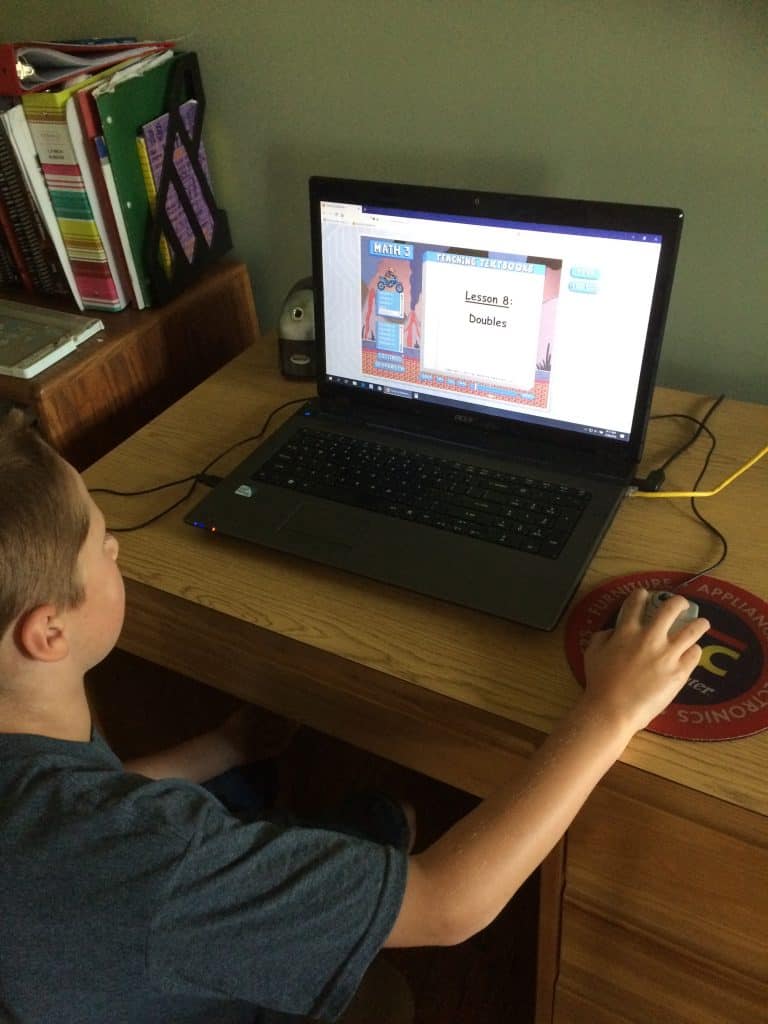
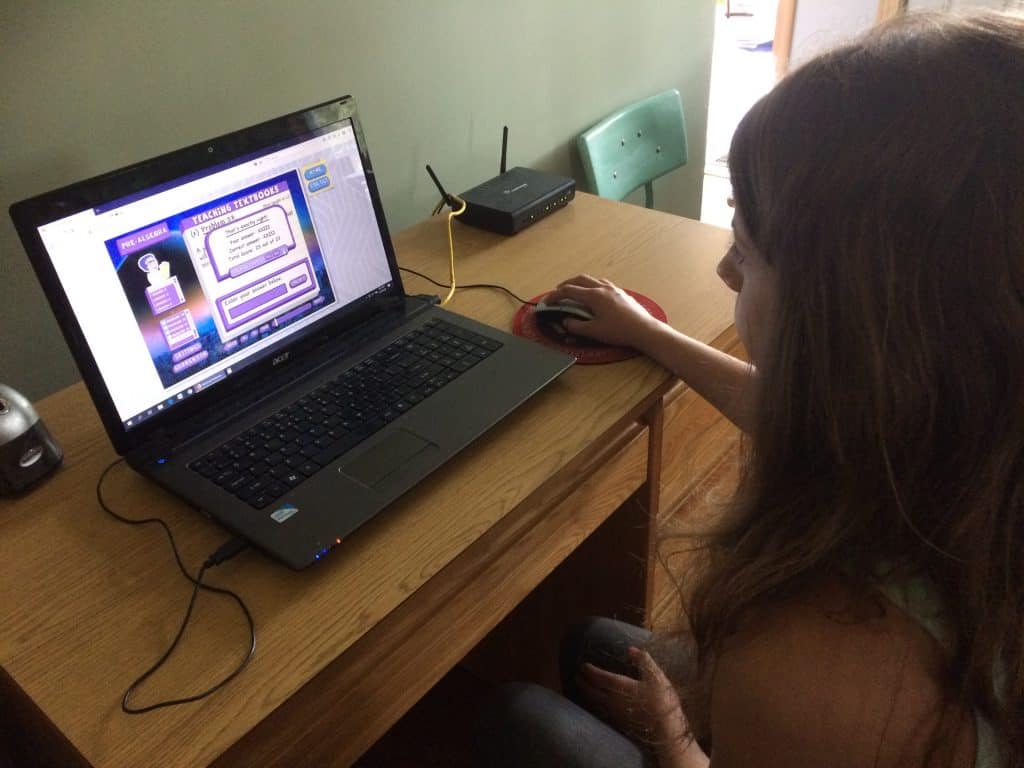
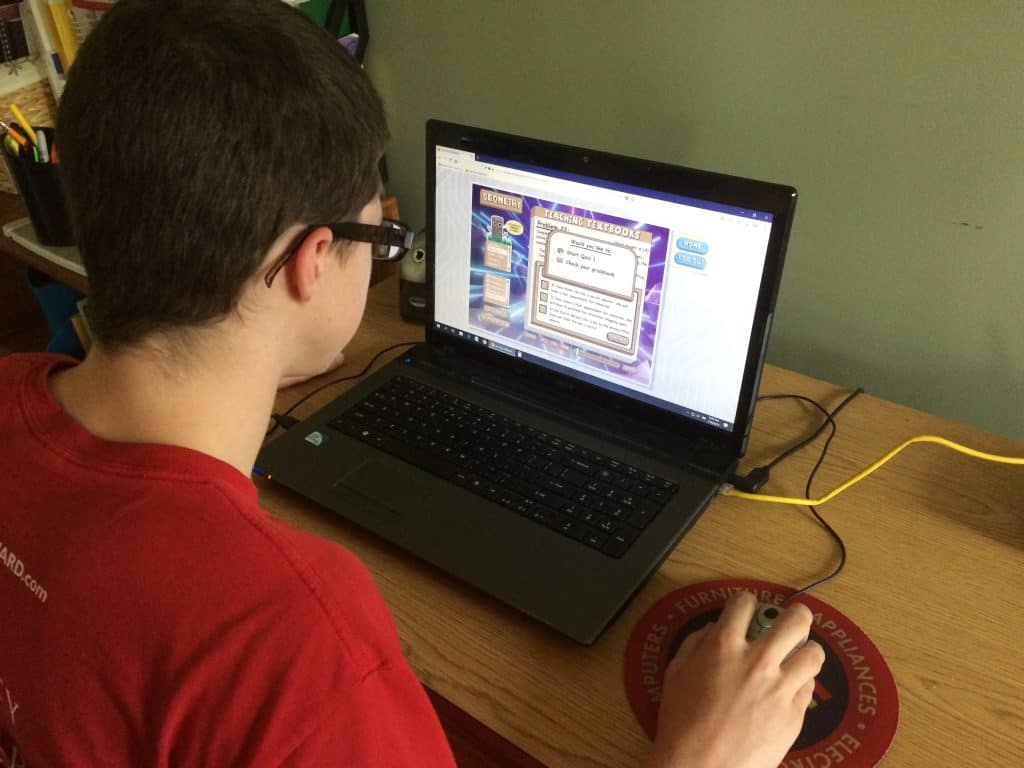
With our decision already made to use Teaching Textbooks 3.0, it was really easy for us to decide to partner with them this summer. For the last few weeks, three of my kids and I have been reviewing Teaching Textbooks 3.0. We have been using three different levels – Math 3, Pre-Algebra, and Geometry. Two of the kids were already familiar with the basic format of the program, but my youngest was not. And even though working this review meant working on math during the summer they were all really excited to try it out!
Some Basics About Teaching Textbooks 3.0
Teaching Textbooks 3.0 is an online, digital math program. You still have all of the same great Teaching Textbooks content you know and love, plus some great new features. Your subscription will last for 12 months, giving you and your student ample time to complete the course. And, you can pause the curriculum for up to 90-days during your 12-month subscription.
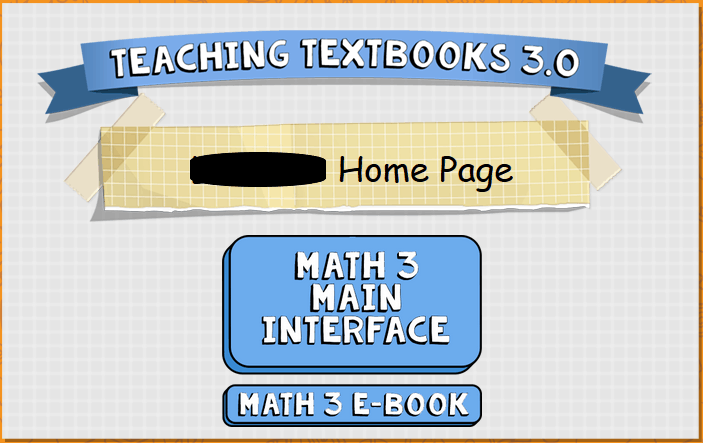
To access the program, you simply log in using the parent email, student’s name, and the student’s password. From here, your student can decide if they want to login to their main interface (where they watch and complete their assignments) or check out the e-book. The e-book is a digital version of the textbook that goes with the lesson (I’ll go into more detail on this later).
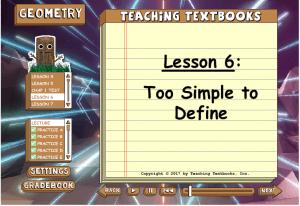
Selecting the main interface allows your student to select the lesson or quiz for the day. Each lesson is comprised of a lecture, several practice problems, and the assignment for the day. Lecture times vary depending on the grade level, but none of them are too long in my opinion. Each daily lecture is shown on the screen and also read to the child. They also can choose to pause or rewind the lecture if they need to take notes or didn’t fully understand something. Once the lecture is completed they then move on to the practice problems to see if they understood and can apply the information contained in the lecture.
We also use the practice problems as a basic check. If the kids are not able to complete the practice problems correctly we work the incorrect ones together. Typically this quick review clears up any misunderstandings they had and they can then move right onto the day’s assignment.
Also within the main interface is where your child can access their gradebook (yes, Teaching Textbooks automatically grades everything!) and change their personal settings including the wallpaper and their buddy. A Teaching Textbooks buddy is simply the character in the upper left hand corner of the screen. This buddy is pretty important as he gives much-needed hints to your student throughout the assignment. My kids love changing their buddy out… my 8-year-old is already on his third one!
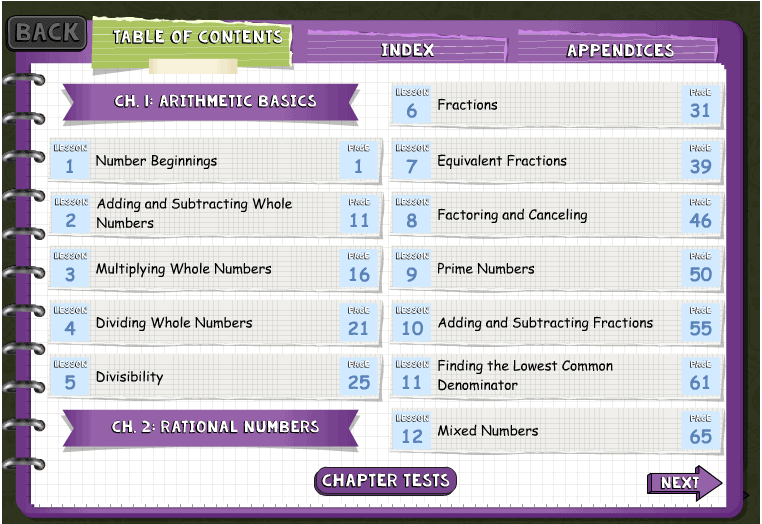
The e-book is where you can access the student’s textbook. Although they can complete the entire program without it, we did find the textbooks quite handy last year. Having a digital (and printable) copy of the textbook available is a great resource for us. I’m sure that before long I’ll be using up the last of last years ink printing out copies for my kids. Also included in the e-book is an index for quick referencing items by name or topic. I’m thinking this will come in extremely handy for my older kids.
The Parent Home Page
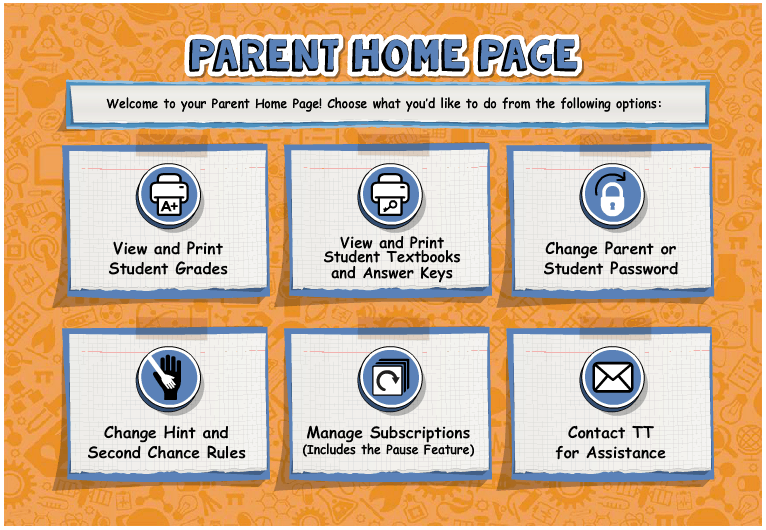
The parent homepage is where you can access your grade book, manage your child’s subscriptions, and change preferences. You can also view the digital textbook and answer key from here. Finally, if you ever need further assistance, this is where you can contact Teaching Textbooks! If your child is really struggling with a problem or a concept this is where you can get them the help they need to succeed.
Some New Features ONLY Available in 3.0
- Available online, so no more discs to worry about losing, damaging, or scratching.
- Online grade storage so you can access student grades anytime, from any computer.
- Can be used on a computer, tablet, or phone!
- Parents can turn off second chances or hints.
- Students can customize their account with wallpaper options and even more buddy choices.
- Ability to pause the subscription during the year.
- New, lower pricing with the 3.0 version making it much more affordable!
- Family Plan pricing. With family plan pricing, you can purchase Teaching Textbooks 3.0 for four to eight students for one low price.
- Free Trial! Yes, you can try Teaching Textbooks 3.0 for free! This free trial will allow you to access the first 15 lessons in the level and you can try out all of the features of the full program. There is no time limit on the free trial and no limit to the number of products you can try. Perfect if you are new to Teaching Textbooks, or unsure of your student’s math level. Even better, if you decide to purchase the full program all of your student’s progress and grades will transfer over.
So What Did We Think Of Teaching Textbooks 3.0?
At this point, all three of the kids have completed several lessons as well as one quiz. The older two, taking pre-Algebra and Geometry, worked primarily independently. Daily that would tell me how the lesson went and let me know if there were any issues, as well as tell me their grade on the assignments. So far, it’s been smooth sailing for both of them.
My youngest, however, is taking Math 3, and this was brand new to him. I wasn’t sure how he was going to handle using the computer, listening to the lesson, following the prompts, and navigating the system. However, he proved my concerns were, as usually, foolish. He has absolutely loved Math 3! Even after spending his summer days at a local day camp, he came home ready and excited for the lessons.
The only issue he ran into is simply in terms of terms. Kind of an odd sentence, but stick with me. In lesson 1 he was introduced to the word “digit” and didn’t fully grasp that concept. That is simply because for the last three years we have used the term “number symbol” when referring to digits because that was what our previous program used.
To me, this isn’t a big deal. In fact, it’s a great lesson for him to learn – different things can go by many names.
The lesson times for him are short enough to keep his attention, the practice problems let him feel good about learning a new concept, and as a perfectionist at heart, he loves that I can delete a problem if he gets one wrong. After we completed each daily lesson, if he had any errors we went back and deleted the incorrect answer an worked on finding the correct one together.
With the older two kids, I never delete incorrect answers right away. We let them sit there until just before a test. At this point, I go into the grade book, remove all of the incorrect answers, and they then work the problems again. We use this a type of chapter review. If they still get the answer wrong, they are then able to ask Teaching Textbooks to show them how to solve the problem correctly. This feature is one of my favorite because it walks them through the problem step by step.
Ready To Try Teaching Textbooks 3.0?

If your current math program is not fun, engaging, and informative, I highly recommend you try Teaching Textbooks 3.0 in your homeschool. This will be our second year with Teaching Textbooks, yet from the first few lessons, we all knew this was just what we
were looking for. A program that will teach my children the math skills they need to be successful. One that will make sure they fully master the concepts for the year and aid them in fully understanding the material.
Teaching Textbooks 3.0 does everything the 2.0 version did, but is considerably more affordable and more customizable. However, if you do prefer discs and textbooks, the 2.0 version is still available.
As for us, we are sticking with Teaching Textbooks 3.0. This brand new version of the program builds on and enhances everything we already love about Teaching Textbooks in a way that works even better for our family.

Want to know more about Teaching Textbooks!
Teaching Textbooks is a math curriculum that we continue to utilize year after year in our homeschool! To learn more about Teaching Textbooks, click below!
- Building A Solid Math Foundation with Teaching Textbooks Math Curriculum
- Making Math Better and Better with Teaching Textbooks 4.0

Kelly Warner is a seasoned homeschooling mom from Maine, where she lives with her husband and their four children—two of whom are proud homeschool graduates. With years of experience navigating the ups and downs of home education, Kelly is passionate about helping families simplify their journey and find encouragement amidst the chaos of daily life. She shares practical tips, inspiration, and real-life homeschooling wisdom on her website, Hope In The Chaos, and across social media.


I’m fairly new to homeschooling and this math curriculum looks perfect for my oldest. Thank you for sharing.
Brenda,
Welcome to the adventure known as homeschooling! Feel free to email me with any questions at any time! 🙂 And yes, for older kids, even if you can still do Algebra and higher, it’s so nice only having to help them out rather then teach an entire lesson every day.
-Kelly
I keep looking at TT. I have 5 kids to homeschool from preschool to grade 6. I think it would help a lot to have the older once be able to do math independently.
Shannon,
Having the older kids able to work independently was our main reason for switching to Teaching Textbooks last year. I needed to have them able to learn their math on their own simply because of all of the other things I was teaching them. I can’t combine math for all the grades so, for us, this was perfect! Also, the family plan from Teaching Textbooks might be perfect for you! You can register 4-8 students for one low price. 😉
-Kelly
im hoping this will be just the ticket for james
This could be an excellent fit for him, Faylene! Did you grab the 15-lesson free trial? There is no expiration date on the trial and you can try multiple levels.
-Kelly
We LOVE Teaching Textbooks. Discovered them when my older kids were in Algebra and never looked back. Happy to read details on the 3.0 version. Final math class this year-Pre-Calculus, so definitely getting the new version. Thanks for sharing.
Kimberly,
We too started when our oldest was in Algebra. I’m super excited to now have all three kids using the same program and loving the new updates to 3.0! We’ve still got a couple of years before pre-Calculus, thankfully. 😉